Guided Setup
Welcome to CLU
This walkthrough gets your library working, explains each feature area and links to the documentation. You can skip any step and come back later from Settings or the gear menu. First, a quick check of this install.
System Check
...How do you plan to use CLU?
Your answers decide which steps come next. You can change them by coming back here.
Do you already have comics organized in folders?
What do you want CLU to do? Pick any that apply.
Libraries
A library is a folder of comics CLU browses, indexes and manages. CLU runs in Docker, so
it can only see folders you map into the container as volumes, for example
/path/on/your/server:/data/comics in docker-compose.yaml.
Your libraries
Folders found in the container
Folders under /data and other volumes you mapped. Add the ones that hold comics.
More options in Settings → Libraries · Documentation
Metadata
Metadata providers tell CLU what each comic is (series, issue, credits, cover date) and supply the release lists behind the pull list and Wanted. Credentials are tested before they are saved.
Metron
Create a free accountComicVine API (optional)
Get an API keyUsed for tagging and as a fallback when Metron has no match.
ComicVine local database (optional)
A local copy of ComicVine: fast lookups with no rate limits. CLU can download it for you (around 540 MB, unpacking to several GB), so pick a path on a volume with room.
Grand Comics Database (GCD) (optional)
A local GCD SQLite dump:
Or the GCD website login:
When CLU writes ComicInfo.xml
Provider order per library and more options in Settings → Metadata · Documentation · ComicVine DB · GCD
Import from Mylar3
The importer reads a copy of Mylar's mylar.db and config.ini. Your
watchlist becomes Pull List series, and your SABnzbd or NZBGet client, Newznab indexers and
ComicVine key come across too. You review everything before anything changes.
Not imported: Torznab indexers, torrent clients and blackhole folders. Mylar's own database is never opened; the files are copied, read and deleted.
Before you start
- A library that holds your Mylar series folders
- Metron, to identify each series. Without it, series are added with ComicVine-only ids.
Last import
Map your folders to the Pull List
CLU reads the series.json and cvinfo files that Mylar and other
apps leave in series folders, and adds each series to the Pull List. Clear matches are
added straight away; folders that could be more than one series are left for you to review.
Folder Monitoring
CLU watches a download folder (WATCH) and processes every comic that lands in it, converting,
renaming and then moving it to a holding folder (TARGET). Downloads, the Wanted list and the
Mylar3 import all deliver through these two folders, so they must be outside /data.
Folders
Processing
Series 001 (2024).cbz. Works from the file name alone, so no metadata is needed.
This is not renaming from metadata.
{series_name} {issue_number}
{volume_number}.
Need metadata: {issue_title} {issue_year}
{issue_month_m} {issue_month_M}.
{volume_year} is the series start year from metadata; without it, the year in
the file name.
Trash
Move patterns, character replacements and more in Settings → File Processing · Documentation
Downloads
CLU can fetch the issues on your Wanted list from three sources. Auto-download tries the sources that are on, in the order below, and every download is delivered through the WATCH folder. GetComics needs no setup; Usenet and DC++ need a client you already run.
Sources
GetComics
Nothing to set up: CLU searches GetComics and downloads from the mirrors each post offers.
Usenet client
CLU moves a finished download into WATCH from the folder the client reports, so the client’s completed-downloads folder must be mapped into CLU at the same path. If it is not, the download finishes but stays where the client put it.
Indexers
Usenet needs at least one Newznab indexer to search.
AirDC++
Hubs are set up inside AirDC++ itself; CLU searches the ones it is connected to.
Search variants, custom headers and more in Settings → Download API and Download Clients · Documentation · Usenet · Indexers · Source priority
Schedules
CLU runs its housekeeping on a timetable: re-indexing your library, checking your pull list for new issues and, if you want it to, downloading what is missing. Pick your timezone first so the times below read as your local time.
| Job | How often | Time | Day |
|---|
Weekly Packs, Komga sync and run-now buttons on the Schedules page · Documentation
Users and sharing
With one account, CLU needs no login: whoever opens it is the owner. Add a second account and everyone has to log in, and each person gets their own reading progress, lists and permissions.
Will anyone else use this CLU?
Reading apps
Apps such as Panels and Chunky read your library over OPDS at
https://comics.samgrieve.co.uk/opds/. Scripts use an API token, and Komga sync
sends your reading progress to a Komga server: both are in
Settings.
Notifications
CLU can tell you when a download finishes or fails, when wanted issues reach your library, and if the database is damaged. It sends through Apprise, which supports Discord, Telegram, Pushover, ntfy, email and many more.
# are ignored.
Notify me when
Personalization
Pick how CLU looks. This is the default for everyone; each user can choose their own theme later from their Account page.
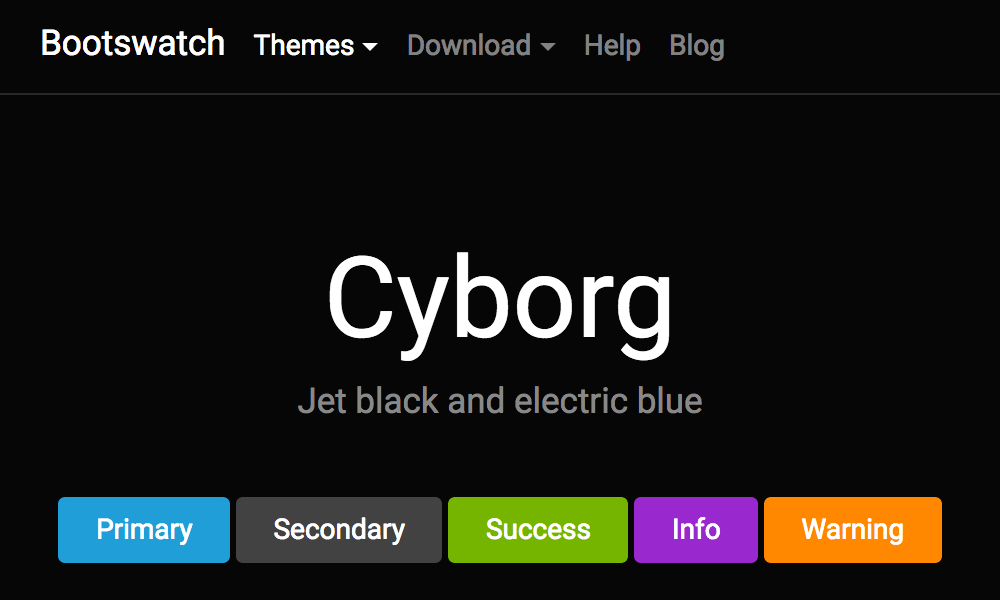
Save to apply it.
Dashboard layout, folder thumbnails and more in Settings → Personalization · Documentation
Repair tour
The library health scan opens every comic to check it is readable, and finds orphaned files, empty folders and duplicates. It works through the library a batch at a time, so a large library is covered over several runs.
Library health scan
Where to fix things
Summary
Here is where your setup stands. Each row links back to its step or to the full settings. You can run this again at any time from Settings or the gear menu.
| Section | Status |
|---|